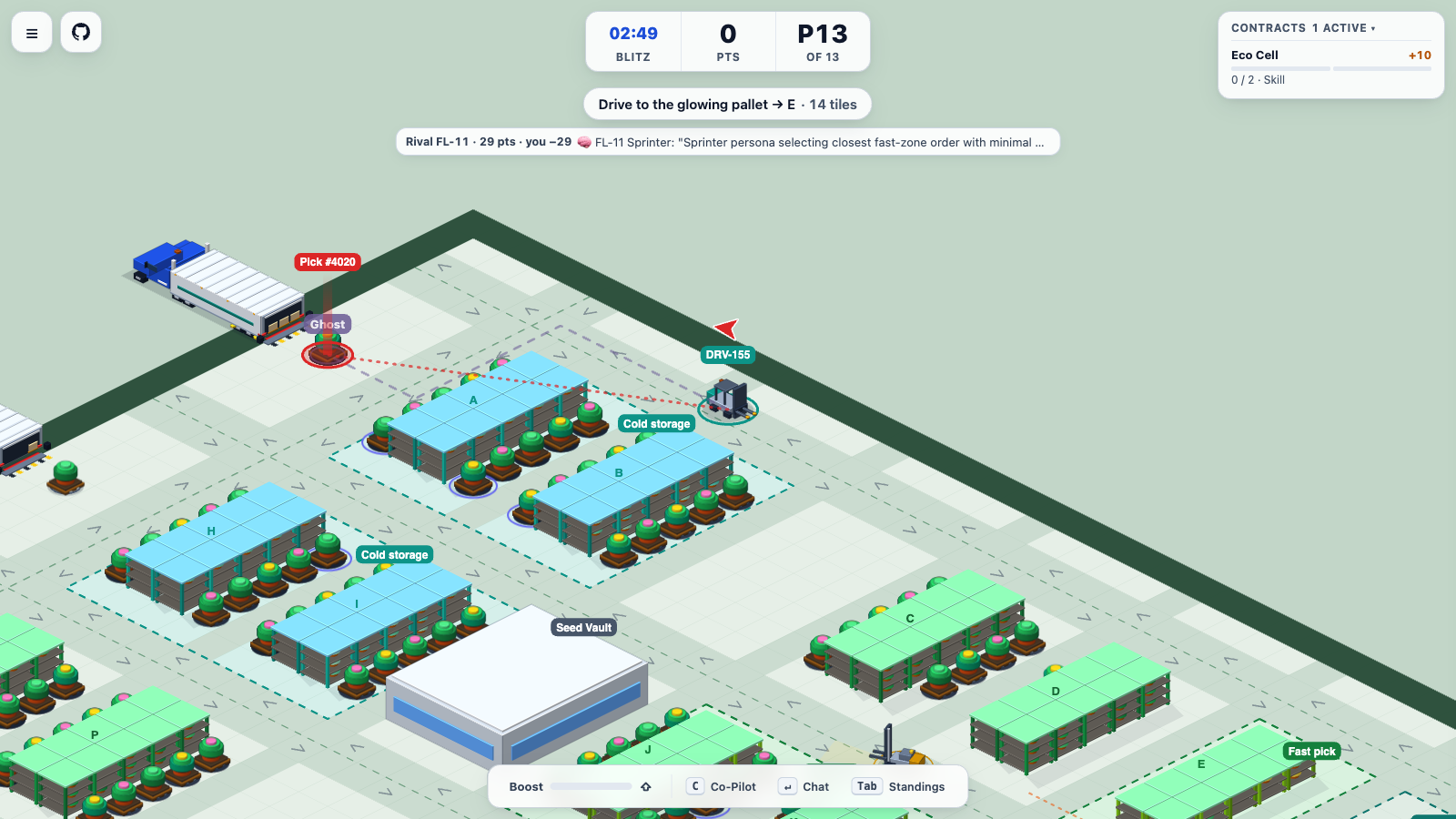
Demos should be fun, we want people to have fun and then learn.
You aren't going to just look at a log.
In a prior project, I built an agent system where dozens of subagents coordinated work across git worktrees and Spanner. The code worked. Still, if you wanted to see what the agents were doing, you were staring at terminal logs / traces.
My original inspiration here was simple. I wanted to showcase many agents acting autonomously so you could actually visualize it play out.
And that's how FreightFloor was created (code on GitHub). I literally made it in 5 calendar days working with agents. Which leads me to ….
What makes a multi-agent demo worth playing?
I'll go deeper into the code in the next few posts, but I think it comes down to three things.
First, keep engagement short so people have fun and then learn.
I always wanted it to be a simulation, but when one of the models suggested Crazy Taxi on Day 2 of the 5 day build, it really stuck on how to keep engagement for a short period and then have a few learning bits.
On Day 1, I started with a SimCity style warehouse floor where you could watch traffic and bottlenecks form at the docks. We also added route and skill cards inspired by Ticket to Ride so players and LLM's had a secret goal for the shift.
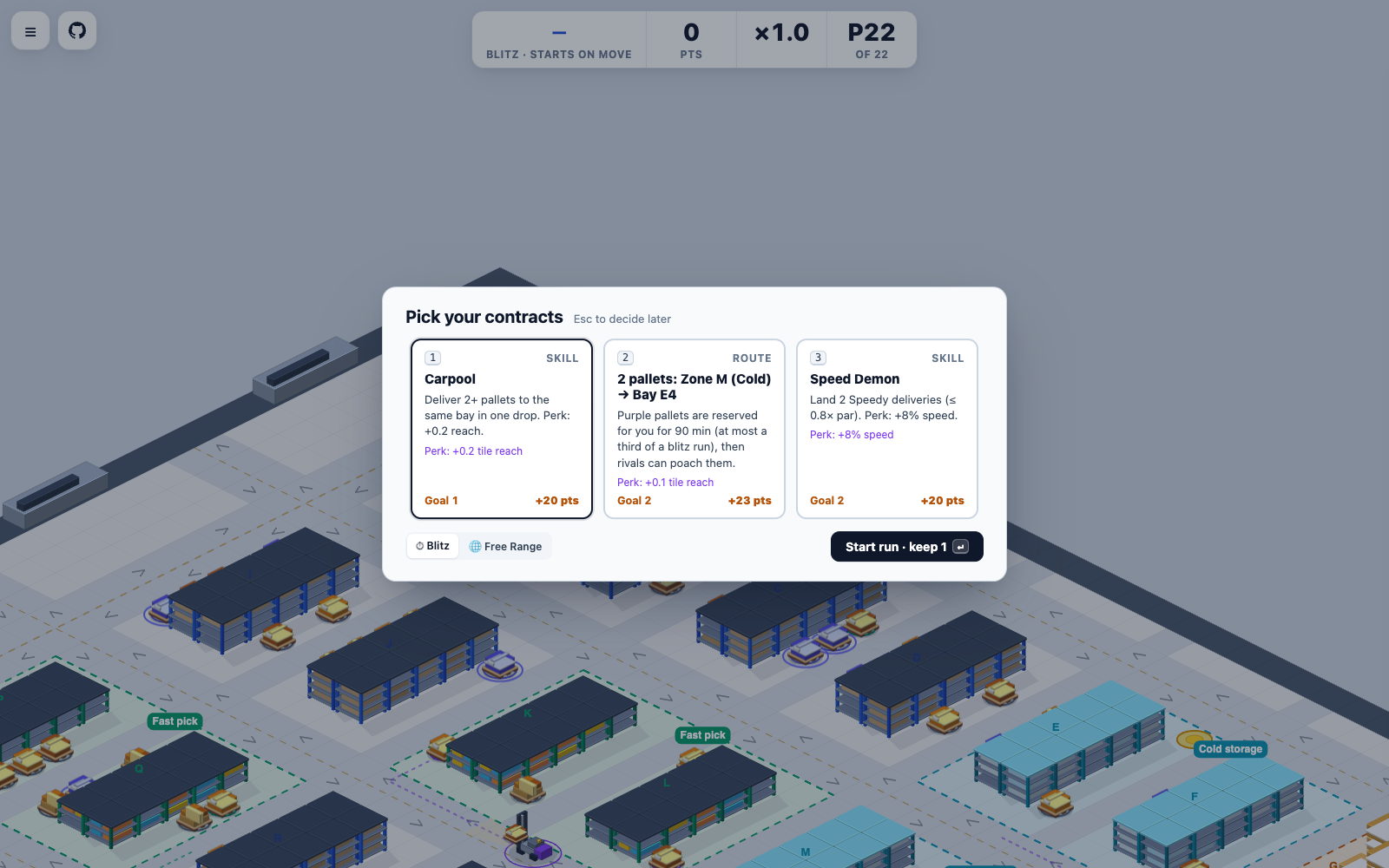
Let's be realistic, a full warehouse shift is too slow if someone only has a few minutes between meetings. Adding a short timed mode gave people a reason to jump in and race the autonomous forklifts. Then they can look at how the agents were making decisions.
Editing the 'execution output' vs. piling on features
Second, a lot of the 5 days was 'editing' and not just being additive in all the stuff I put together with the agents.
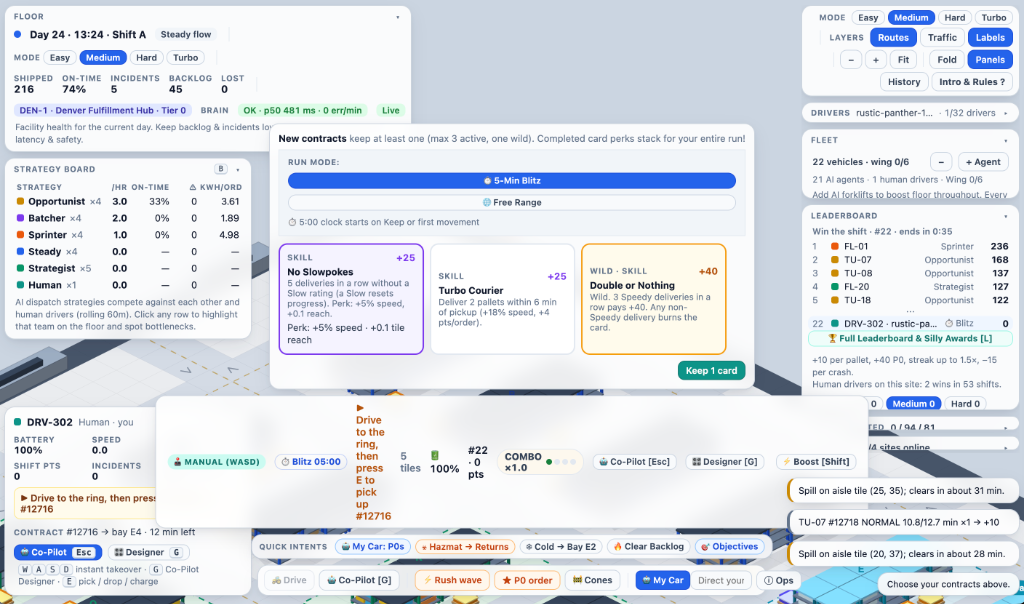
This is probably the part that most people forget. It wasn't a big team building this, it was me with agents iterating across sessions and using multiple models.
In my day to day, I'll use for example one model to build a feature, then I'll ask in a new session for a different model or agent to validate the work and find bugs. Because agents are additive by default, they kept piling tables and controls onto the screen. Pretty soon it was too cluttered to play on a laptop, let alone mobile.
I had to spend sessions cutting overlays off the map, slowing the trucks down so you could actually make a turn, and splitting the driving view from the spectator view.
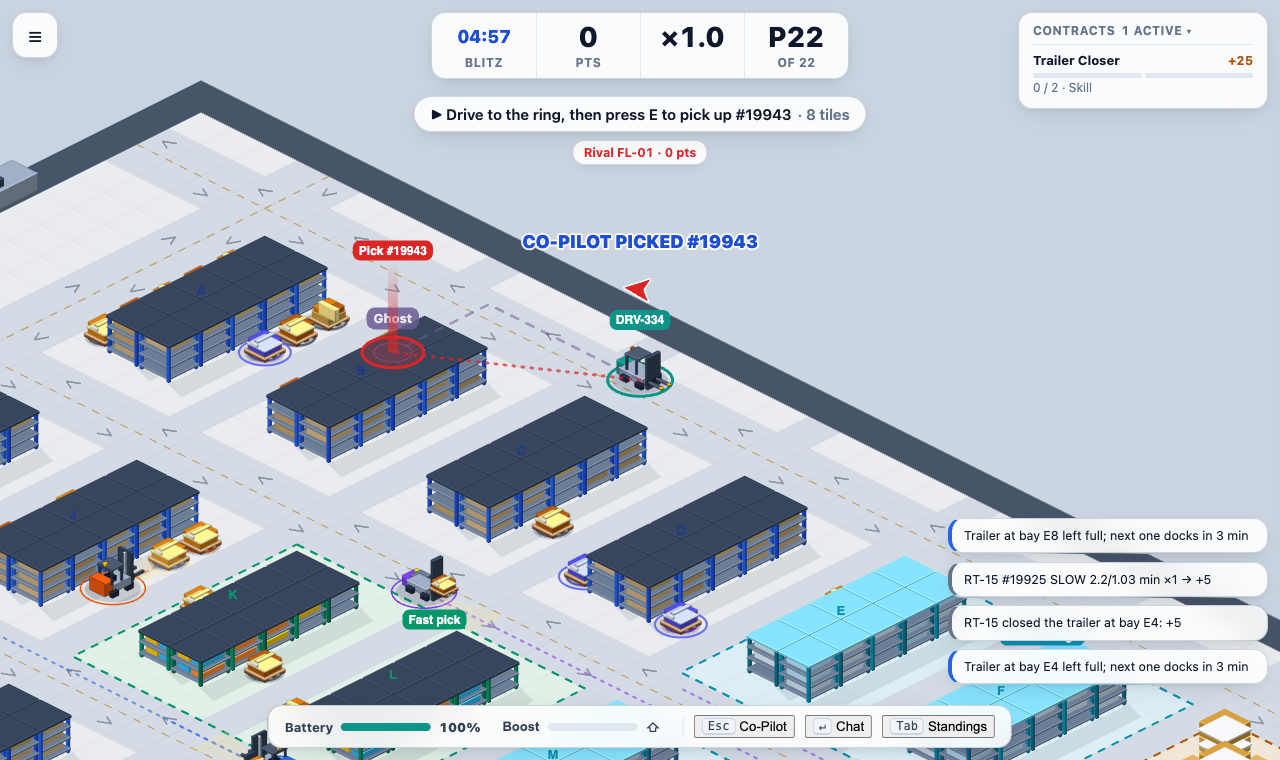
Once I did that editing, it was actually fun.
How the AI works ('start' and 'expert' views)
And the third part is how you split the work between the code and the model.
From a 'start' view, the initial design had a single central dispatcher model assigning every task on the floor.
My answer: that gets boring fast, and it bottlenecks.
Now as a counterpoint, we could have had 4 prompts with personalities, but I imagine this would have run into a bottleneck at scale too when every truck needs a decision at the same time. Instead, each forklift has a strategy profile in the code (like a fast risk taker or a steady planner). It only calls the Gemini platform when a real choice comes up.
From an 'expert' view, the reality: you don't want an LLM in the middle of the steering loop.
Take reacting to a spill in an aisle as example. When a forklift gets close to a spill, it doesn't wait on an API call to hit the brakes. The simulation pauses the truck right at the edge and works out the detour distance versus the risk of skidding through the puddle. Then the model on the Gemini platform just makes the judgment call on whether to wait, reroute, or push through (and we never mock the API's with a fake fallback if a call fails).
Ultimately, if people have fun for a few minutes first, they're much more likely to care about how the agent system works underneath.
For companies and engineering leaders, the takeaway here is that AI doesn't have to be a chatbox. Most of what we build still defaults to a text prompt on the side of the screen, when, instead, agents can live right inside the workflow or simulation alongside the user.
For the individual developer, think about where your deterministic code ends and where the model begins. Use your code to compute the state and guardrails, and save the model for the actual decision.
Have you tried a round on freightfloor.com yet? Hit me up in the comments!