Two weeks after we launched FreightFloor on October 27 (freightfloor.com), I thought I'd check in on the bill. It was much larger than I anticipated.
Not great.
About \$130 right out of the gate (\$122.97 across launch week, \$133.86 counting build weekend). Around Oct 30 and 31 we were running near \$11 a day, roughly \$330 a month, for a demo game where most visitors bounce in under a minute.
So here's what we shipped, what broke, and what I'd tell anyone who vibe coded an app and is about to build v2.
What we shipped
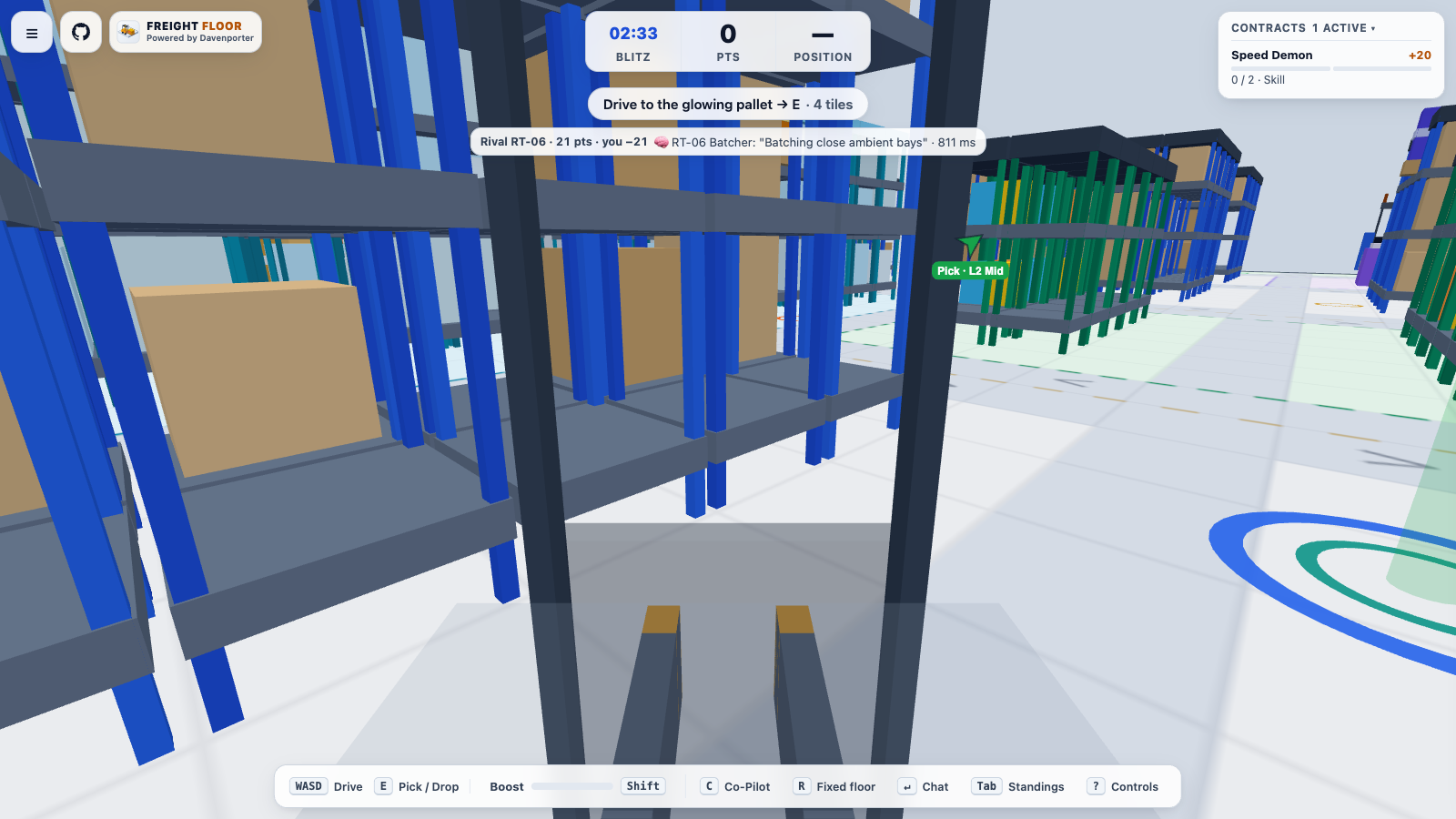
The one I care about most: a first person cab view. You sit in the forklift and drive the aisles.
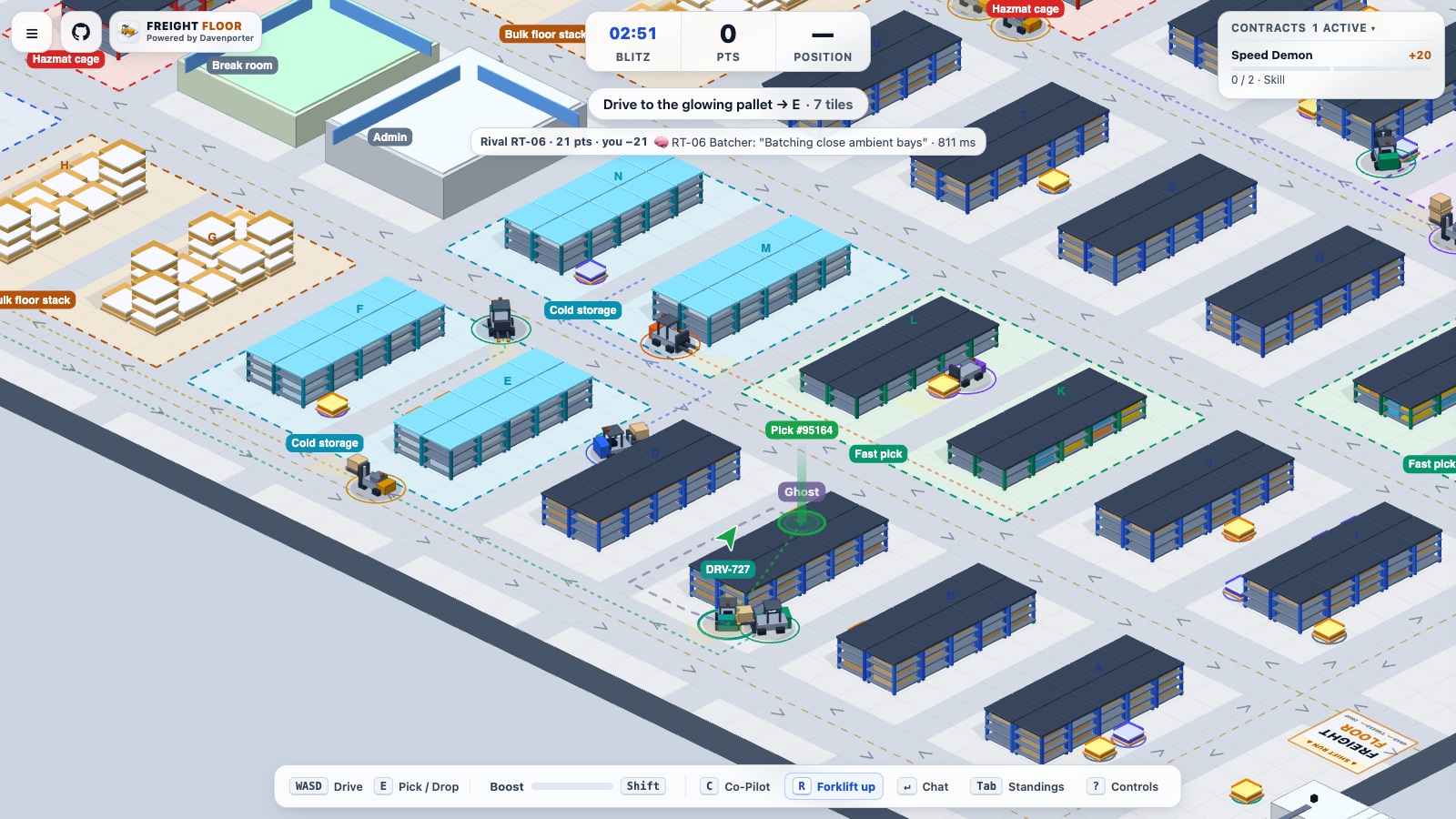
We also added a heading up camera ('Forklift up') that keeps your forklift near the bottom of the screen so you see what's coming:
Alongside the cameras, we shipped Lift Mode behind a toggle on the intro page, a joystick and touch controls for phones, and GA4 events so I can see who actually finishes a shift (no names or typed text).
What would I do differently? Put in the first person view from the start!
It's fun. Game mechanics are important.
The wobble: we could see it, we couldn't pinpoint it
Jitter ate more sessions than anything else.
We could see it, but between the client and server it's hard to pinpoint. On Oct 28 I told the agent there was still a lot of left right wobble in both the cab and top down views. It made a fix, I deployed it, and it was still chopping around.
So I asked: why don't you play and analyze the video?
That only works if the app is set up for an agent to diagnose it. We added three things:
- A test version on its own URL with 0% of player traffic, so the agent could deploy and drive without touching real players.
- Headless Chrome runs that record the screen and every network message while the agent drives in each camera view.
- A
?motionlog=1flag that logs what the game actually drew, frame by frame.
The log is what cracked it. Here is how that setup split the wobble into two separate bugs:
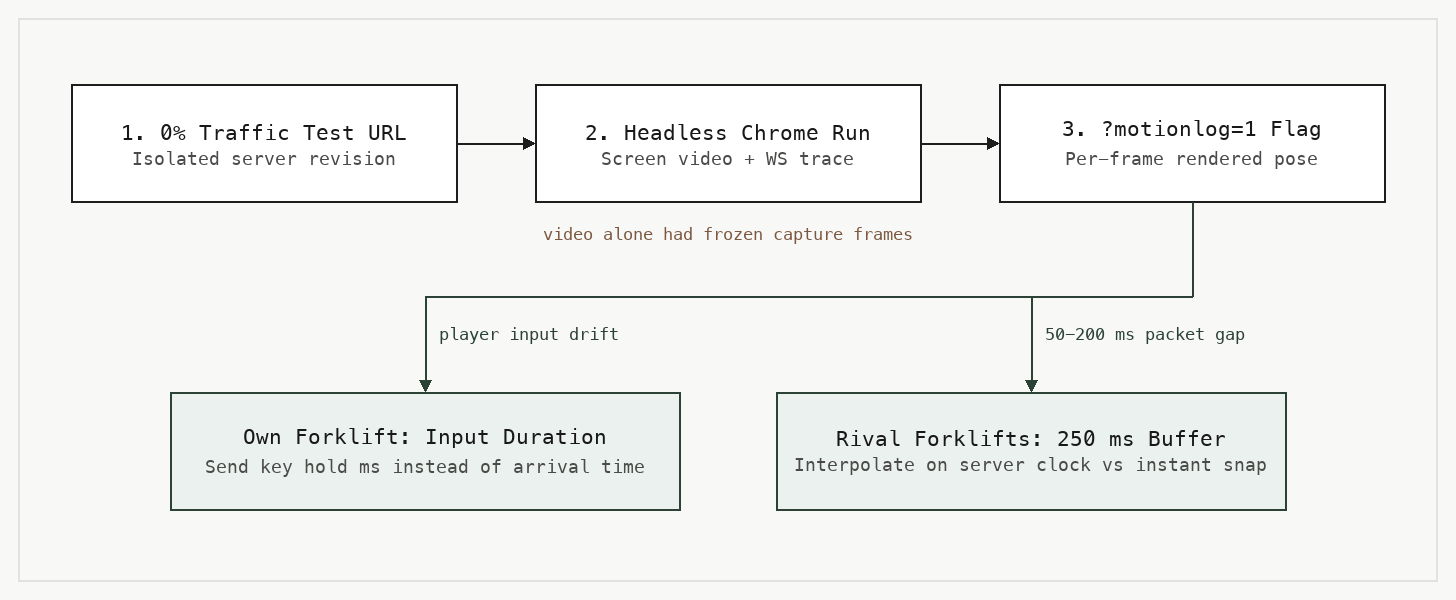
First, my own forklift. The server was re-timing my inputs by when they arrived, so every correction disagreed a little, and that showed up as wobble. Now the client sends each input with how long it was held (I asked the agent "is this how game servers typically work?" and the answer was basically yes, that's what Source does).
Second, every other forklift. The server sends 10 updates a second, but they land anywhere from 50 to 200 ms apart, and we moved rivals the moment a packet landed. Now they're drawn 250 ms in the past on the server's clock and smoothed between updates.
Learning: the screen recording had frozen frames that weren't real (the per-frame log proved it). Video alone fools the agent, give it numbers too.
The bill: what we thought vs. what happened
What we 'thought' (me and coding agents) about cost control played out a little differently when we had the app running.
On paper we had guardrails. A daily AI cap, servers that sleep when nobody is playing, and AI only called when a forklift hits a real decision.
The reality:
- The cap never tripped. Our spend counter used old token prices, about 5x too low. On Oct 28 it recorded \$4.23 while real spend was about \$21.66.
- Idle servers never slept. Messages passing between the four warehouses woke them every few minutes.
- The test version from the wobble work kept a second lobby server warm 24/7 (the fix for one problem created the next one).
- Crawlers were playing. Googlebot, AdsBot, Lighthouse, and a few SEO bots joined, never connected, and each join woke 20 AI drivers for 5 minutes.
- The game servers were sized at 2 vCPU / 4 GiB and using under 5% of it.
- One stale revision wrote 1.26M lines of stack traces in a single day.
None of these show up in a code review.
You only see them when the app is running and you go look.
How we're cutting the AI calls
Calls on the Gemini platform were just over half of launch week (\$65.39 of the \$122.97 total, with \$56.66 on Cloud Run and \$0.91 across everything else).
Each forklift decision averaged about 400 tokens in and 35 out, and most of the output was the 'reason' text the toast shows. We cut the reason to 40 characters, capped output at 80 tokens, and slimmed the response schema (schema descriptions are billed as prompt tokens). That's about 11% cheaper per call.
The bigger savings came from not calling at all. The AI now pauses 90 seconds after the last player leaves (it was 5 minutes), crawlers get turned away before they wake anything, and the \$10 a day cap counts real prices. I told the agent I'd rather the cap be 10 a day and we'd check in a day or two what usage looked like per call.
Once the billing export filled in, week 2 (Nov 3 to Nov 9) came in at \$8.30 total, down from \$122.97 in launch week (\$6.56 net after free tier credits). That was \$4.35 on the Gemini platform, \$3.75 on Cloud Run, and \$0.20 across everything else, and the six days after (Nov 10 to Nov 15) held right at that same ~\$1.20 a day pace (\$7.38 total).
If you vibe coded v1, here's how I'd build v2
Plain language, no cloud jargon required.
First, set a budget alert on day one. It only sends an email, but you find out in days instead of at the end of the month. (Ours is \$400 a month.)
Second, turn on the billing export. A budget alert tells you the total, the export shows which service and which day, and that's how you find the leak.
Third, look at your app when nobody is using it. If something is still running at 3am, ask why. For us it was idle servers, a forgotten test version, and bots.
Fourth, test your own limits. If you have a spend cap, make it trip on purpose once and confirm it uses today's prices.
And the last part is to set the app up so an agent can diagnose it. A test URL, a debug flag that logs what actually happened, and permission to play the thing and record it. You probably vibe coded v1 with an agent, and an agent is who will iterate on v2, so build for them.
Two weeks in, most of what I learned came from watching it run (and from the bots that showed up to play).
Budget for that second week. The first version gets built fast with agents now, and the cleanup after real traffic is where the time and money go. Put the guardrails in before launch, go check them with the app running, and put in the fun part early (for us, the cab view).
Have you driven the cab view on freightfloor.com yet? Let me know in the comments!